Wordware

wordware.ai
On the map Visit site

AI toolkit that helps cross-functional teams build reliable high quality agents

Description

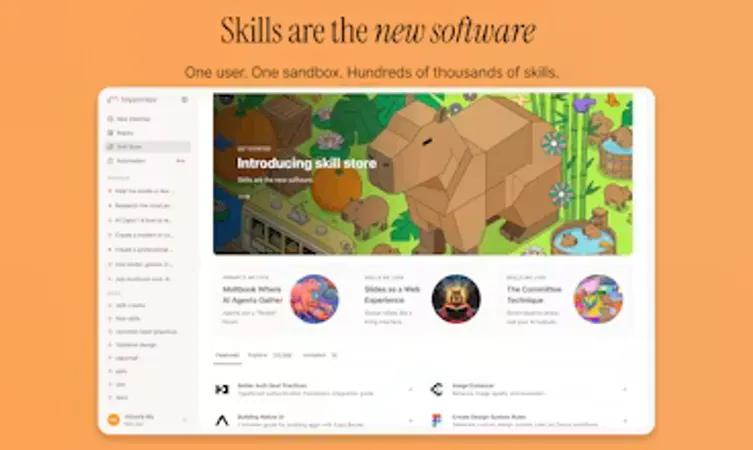
Building the future of work, with · Building the future of work, with Sauna · Sauna is an intelligent workspace thatcollaborateswith you,eliminatesthe busywork, andanticipateswhat’s next, turning to-do into done. · Build With Us · Backed by

Wordware is an innovative AI toolkit that empowers teams to build reliable, high-quality AI agents through rapid iteration. It combines a user-friendly interface with advanced technical capabilities, allowing both technical and non-technical users to collaborate on creating AI applications. Wordware's platform features a Notion-like interface, supports multiple LLM providers, and offers one-click API deployment, making it a powerful tool for AI development and deployment.

Features

Context Compounding
Personalized Learning
Pattern Recognition
Proactive Assistance
Deep Work Augmentation
Busywork Automation

Use cases

Building customer service chatbots, Developing healthcare AI assistants, Creating financial analysis tools, Automating content generation, Designing personalized recommendation systems

FAQ

Wordware AI is an intelligent development platform that makes the creation and deployment of AI agents and applications easier. It uses natural language programming (NLP), allowing users to describe workflows in plain English rather than writing complex code. The platform operates as an "IDE for programming using natural language," enabling both domain experts and engineers to build AI-powered automations quickly.

Wordware is designed for anyone wanting to develop AI agents and applications, regardless of technical background. Whether you're a domain expert with specialized knowledge or an engineer with coding skills, the platform provides comprehensive support. It's particularly useful for groups that need to collaborate and iterate on projects quickly without extensive programming experience.

Wordware combines several key elements that make it unique. It offers Natural-Language Programming, where you simply describe your desired workflow in plain English, for example, specifying tasks like researching leads, calculating scores, and routing prospects to appropriate channels. The AI-First Engine leverages cutting-edge AI models (including GPT-4o, Claude 3.7, Perplexity Sonar-Pro, and Stable Diffusion) to extract structured data, summarize inputs, detect sentiment, analyze images, and make intelligent branching decisions. It also provides Extensive Integrations, connecting with over 2,000 business apps and data sources seamlessly. Additional capabilities include intelligent decision points, self-healing and escalation features, visual monitoring and feedback, and ready-made templates.

Wordware supports a wide variety of AI agent types depending on your specific needs. Possible applications include legal contract analysis, marketing content creation, invoice analysis, employee selection, and product requirements document generation. The platform is versatile enough to handle custom workflows across different domains.

Common applications include a Smarter Slack Support Bot to capture support requests, search knowledge bases, summarize findings, and post answers back to Slack channels; Automated Meeting Note Sync to extract contacts, action items, and key decisions from notes, then automatically create or update CRM records; Proactive Calendar Research to automatically research meeting attendees and add relevant summaries to calendar events; and Lead Qualification to automate the process of scoring and routing leads based on business rules.

Getting started is straightforward. If you're using the Python SDK, you'll need Python installed on your system. You can install the Wordware.ai package using pip. After installation, verify it's working correctly by using the command 'wordware-cli --version'. Alternatively, you can access the web-based platform directly and start building workflows using the visual editor without any installation.

The Wordware editor operates on a "What You See is What You Get" principle. You can add nodes by typing '/' and selecting the type of node you want, such as AI generation, loops, or conditions, or simply start typing for text content. Flows execute from top to bottom, left to right, and you can run your workflow by clicking the "Run" button or using keyboard shortcuts like CTRL+R on Windows or CMD+R on Mac. You can watch the execution in real-time and see AI responses as they're generated.

Wordware offers a freemium pricing model, allowing you to get started for free and explore the platform's capabilities before committing to paid plans.

The platform emphasizes speed and efficiency. Since workflows are built using natural language descriptions rather than traditional coding, users can typically build powerful flows in minutes rather than days. The platform also eliminates the need to start from scratch with pre-built tools and templates.

Yes, Wordware supports 1-click API deployment, making it easy to integrate your workflows into existing systems and applications without complex configuration.

Traditional automation tools struggle with complex workflows that require contextual understanding. Wordware is designed specifically for scenarios where context matters—understanding sentiment, extracting buried information, and adapting to variability. Unlike opaque autonomous agents, Wordware provides transparency, control, and the ability to iterate quickly using natural language.

Specs

Type Agent
SectionAI agents
Pricing has a free tier (от $0/mo)
Platform Web only
Systems web
Who forIndividual
Site languageen
Rating4.57 (7 reviews)
Views38 343
Launched2024-07-22

Can do

Platforms

web

Hashtags

Source code

repository

Similar in «AI agents»

Submit a site to the catalog

Just send the link — we will work out the rest.

We will review what you send and add it to the catalog if it fits.